> For the complete documentation index, see [llms.txt](https://fitek-learning.fitek.com/llms.txt). Markdown versions of documentation pages are available by appending `.md` to page URLs; this page is available as [Markdown](https://fitek-learning.fitek.com/fitek-learning-space/french-francais/getting-started/guide-de-demarrage/connexion.md).
# Connexion
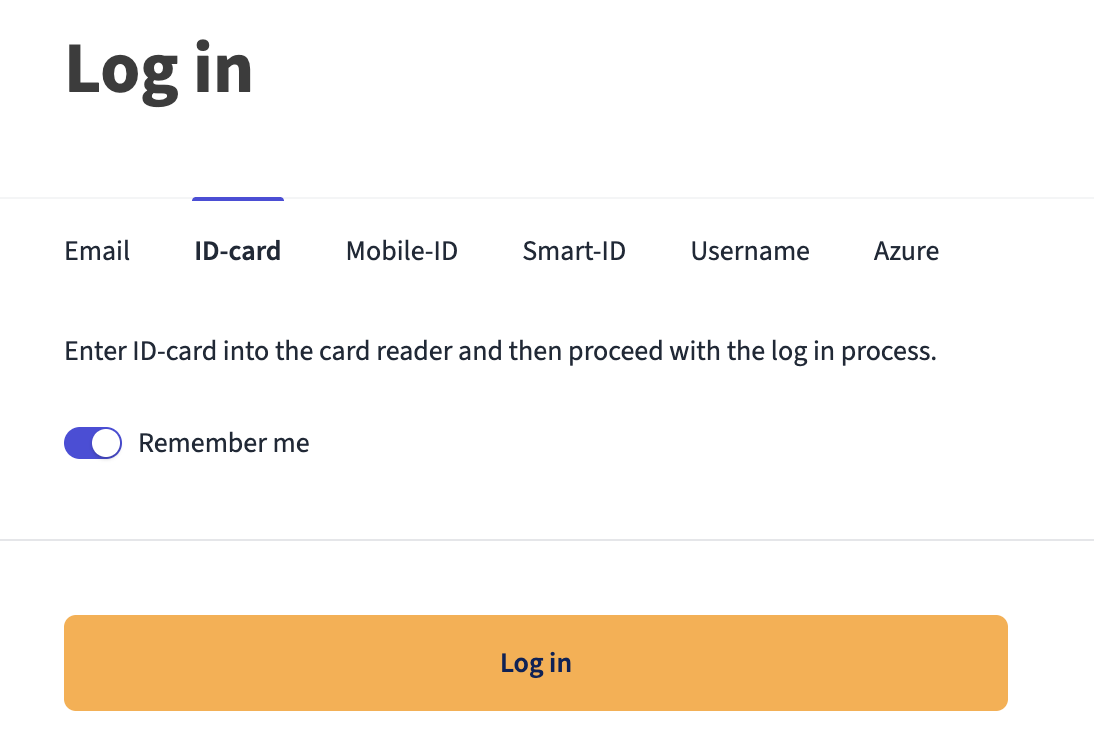
Fitek propose plusieurs méthodes de connexion : l'authentification unique (SSO) Azure, la carte d'identité électronique ou la connexion classique par e-mail. Une fois la configuration effectuée, le système mémorise vos préférences.
### Options de connexion
Fitek propose plusieurs méthodes d'authentification sécurisées, adaptées aux besoins de votre organisation.
{% columns %}
{% column width="41.66666666666667%" %}
{% endcolumn %}
{% column %}
* E-mail et mot de passe
* Carte d'identité électronique
* Mobile-ID
* Smart-ID
* Nom d'utilisateur
* **Azure** *(recommandé pour la sécurité en entreprise et une intégration transparente)*
{% endcolumn %}
{% endcolumns %}
{% hint style="info" %}
**Important :** les méthodes d'authentification disponibles varient selon la région.
{% endhint %}
### Préférences enregistrées
* Le système mémorise votre méthode de connexion préférée.
* La préférence est enregistrée par appareil et par navigateur.
* La dernière méthode utilisée est proposée par défaut.
* Vous pouvez la modifier à tout moment.
* L'option **Se souvenir de moi** (*Remember me*) ne conserve que votre adresse e-mail ou votre nom d'utilisateur. Les codes personnels, numéros de téléphone et mots de passe ne sont jamais enregistrés : avec Mobile-ID et Smart-ID, vous saisissez donc votre numéro de téléphone et votre code personnel à chaque connexion.
---
# Agent Instructions
This documentation is published with GitBook. GitBook is the documentation platform designed so that both humans and AI agents can read, navigate, and reason over technical content effectively. Learn more at gitbook.com.
## Querying This Documentation
If you need additional information that is not directly available in this page, you can query the documentation by asking a question.
Perform an HTTP GET request on the following URL with the `ask` and `goal` query parameters:
```
GET https://fitek-learning.fitek.com/fitek-learning-space/french-francais/getting-started/guide-de-demarrage/connexion.md?ask=&goal=
```
`ask` is the immediate question: it should be specific, self-contained, and written in natural language.
`goal` is what the user is ultimately trying to achieve, the reason they need the answer. Sharing it helps GitBook give you a better, more relevant answer. A goal is most helpful when it describes the outcome the user wants rather than restating the question. For example, with `ask=how do I create an API token`, a goal like `automate deployments from our CI pipeline` lets GitBook tailor the answer to that use case.
The response will contain a direct answer to the question and relevant excerpts and sources from the documentation.
Use this mechanism when the answer is not explicitly present in the current page, you need clarification or additional context, or you want to retrieve related documentation sections.